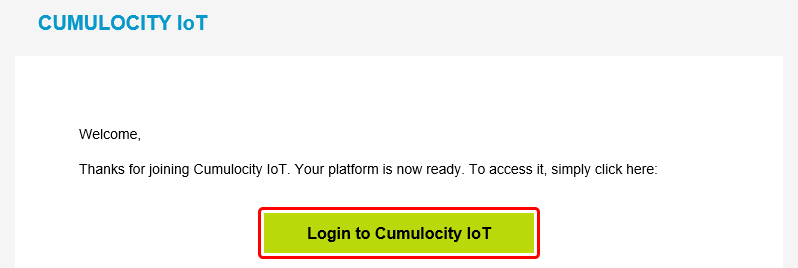
Wait a few minutes after the registration and open your email account. You should have received an email with the subject 'Welcome to Cumulocity IoT'. Open the email and click 'Login to Cumulocity IoT'.
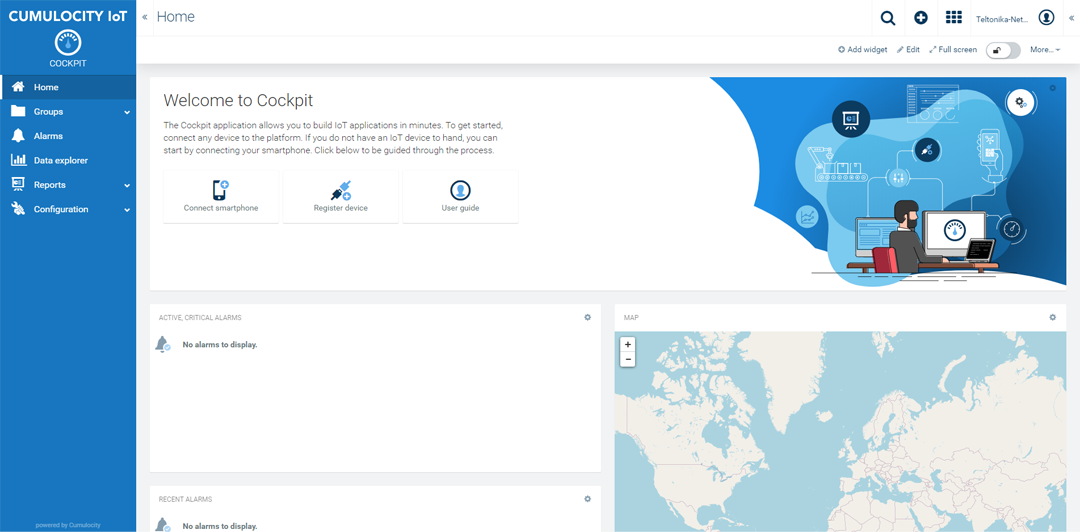
Upon a successful login you should be redirected to the Cumulocity Cockpit.
Configure a device
Set up Cumulocity on your Teltonika-Networks device.
Log in to your device's WebUI.
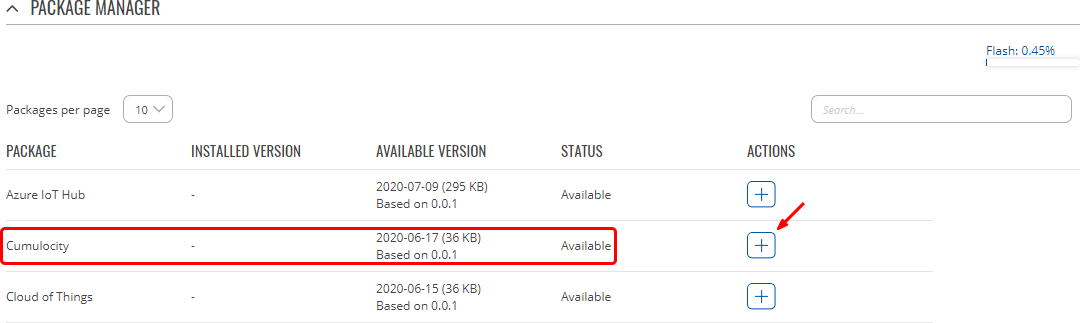
Go to Services → Package Manager and install Cumulocity.
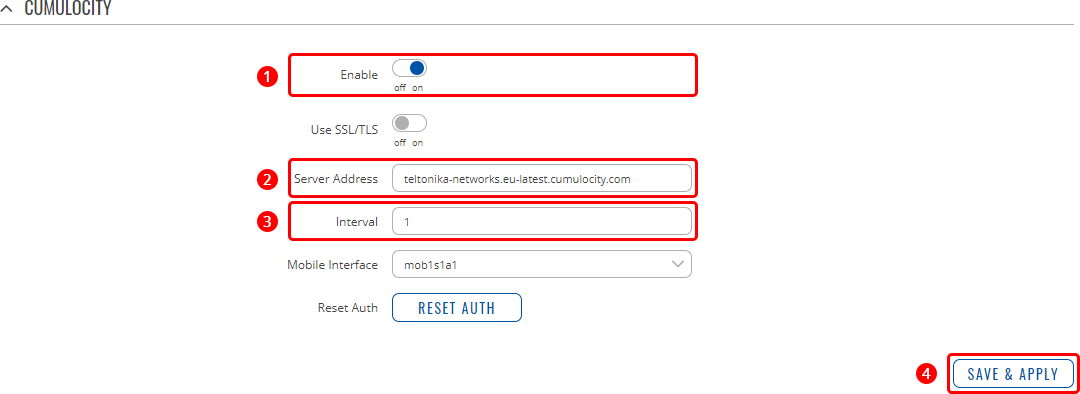
Go to Services → Cloud Solutions → Cumulocity and configure it as follows.
Enable Cumulocity
Specify your Cumulocity server's address in the 'Server Address' field.
Set a connection frequency interval (at least 1 minute).
Click 'Save & Apply'.
Register a device
Register your Teltonika-Networks device on Cumulocity.
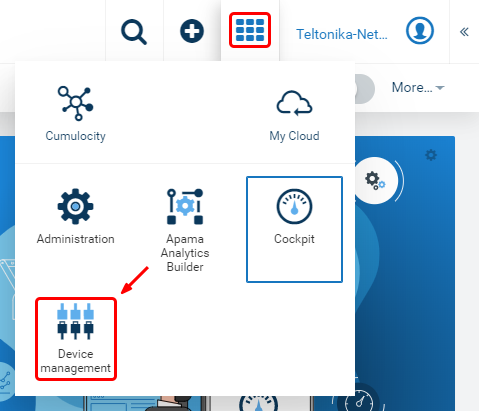
Find the 'Application switcher' in the top-right corner of the Cumulocity dashboard and go to 'Device management'.
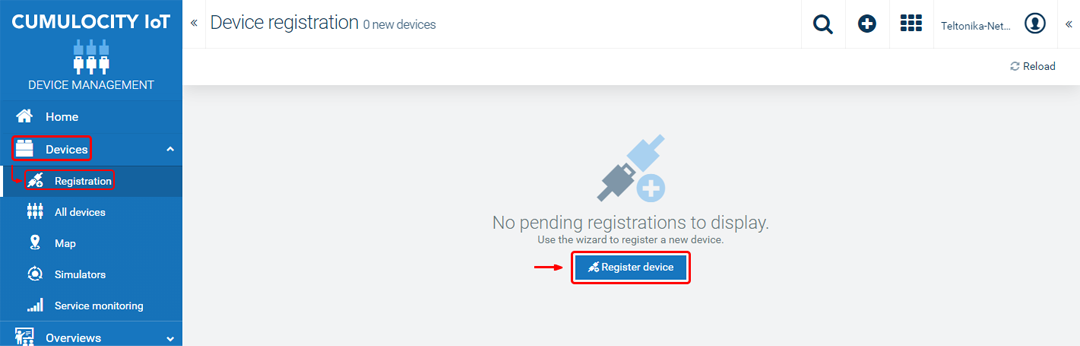
Then expand the 'Devices' tab in left-hand menu, go to 'Registration' and click 'Register device'.
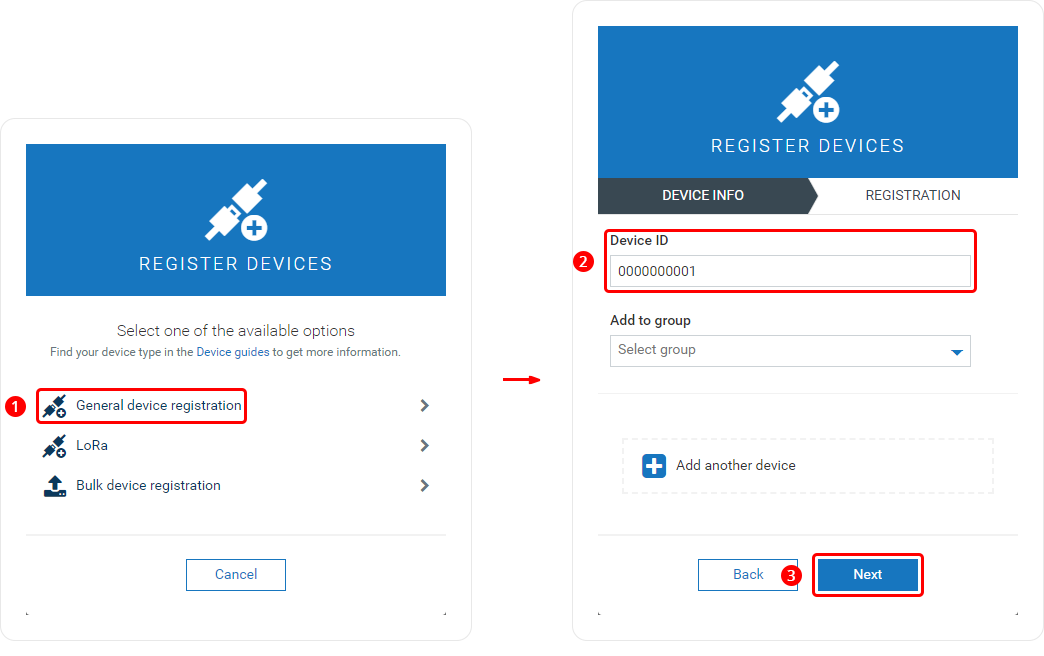
Complete the registration.
Choose 'General device registration'.
Enter your device's serial number into the 'Device ID' field. The serial number can be found on the device's housing, box or in the WebUI, Status → System page.
Click 'Next'.
If the device connects successfully, you should see an indication similar to the one below. Click 'Complete' to finish the registration.