This article provides information and step by step guide to configure samba share on Teltonika routers.
The information on this page is updated in accordance with RUTX_R_00.07.01.4 firmware version.
Samba share is a software package used to provide secure, stable, and fast file and print service for clients using SMB/CIFS protocol. It is compatible to use with windows and Linux systems. SMB is a network file sharing protocol and CIFS is a network file system protocol. CIFS is a successor of SMB, and both runs on tcp or udp using port 137 and 138 for udp, 039 and 445 for tcp.
Prerequisites
You will need:
RUTX router running FW version RUTX_R_00.07.01.4 or newer.
A computer running Windows OS.
A USB flash drive.
Instructions
Connect a USB Drive to your RUTX router and connect your computer to routers Lan using cable or wifi.
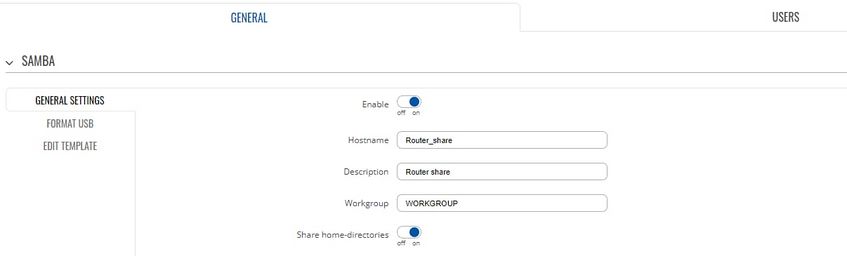
Enable Share home-directories if you want to share home directories.
Click save & apply:
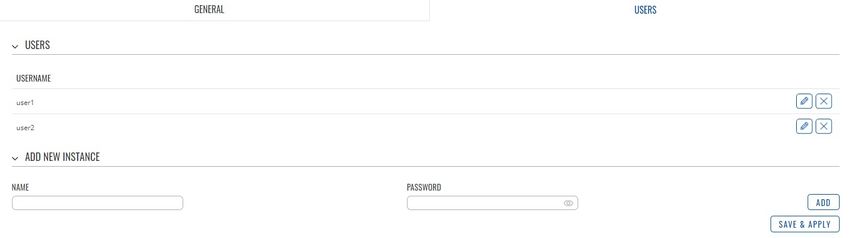
Configure Users in Users section: click save & apply:
Go back to General tab: under Shared Directories > click ADD button, and create a directory that you want to share and select the users that you want to share directory with. Click save & apply.